Product design · Case study
Graduaid
Graduaid maps UCSD requirements onto a draggable four-year timeline — a planner I built after degree audits, PDF flowcharts, and the Schedule of Classes failed to answer one question: does this plan actually work?
- Timeline
- 2025–2026
- Role
- Product design & development
- Built with
- React, TypeScript, catalog engine
- Platform
- Web app
Challenge
How might we help UCSD students plan a degree they can actually register for — without juggling PDFs, degree audits, and spreadsheets that never validate prerequisites in calendar order?
Students must satisfy overlapping structures at once — major sequences, college GEs, prerequisite chains, and courses offered only in specific quarters. Spreadsheets and PDF flowcharts do not know any of this.
Degree audits, GE trackers, and the Schedule of Classes live in separate places — none talk when you're stress-testing a plan.
Change your minor or move a course earlier? Most tools skip validation until registration or auto-schedule in ways students don't trust.
Prereq violations are easy to miss — and alarming UI breaks focus instead of teaching the rules.
Goals
- One workspace — requirements pool, timeline, and metrics in a single view.
- Validate in calendar order — prereqs satisfied before the term, not just somewhere on the plan.
- Assist, don't override — valid-term hints, Fix actions, and undo; student stays in control.
- Calm over clever — course rows are the hero, not the chrome.
- Teach the rules — prereq trees and hover chains visible while you plan.
Solution snapshot
Graduaid splits the screen into three layers: a requirements sidebar, a four-year timeline, and a validation engine that powers drag highlights, locked rows, alerts, and Fix actions — so every surface agrees on what valid means.
Process
I mapped core flows on paper before high-fidelity UI: choose college, major, and minor; import transcript credit; visualize four years across quarters; drag courses into terms; flag prerequisite and availability conflicts.
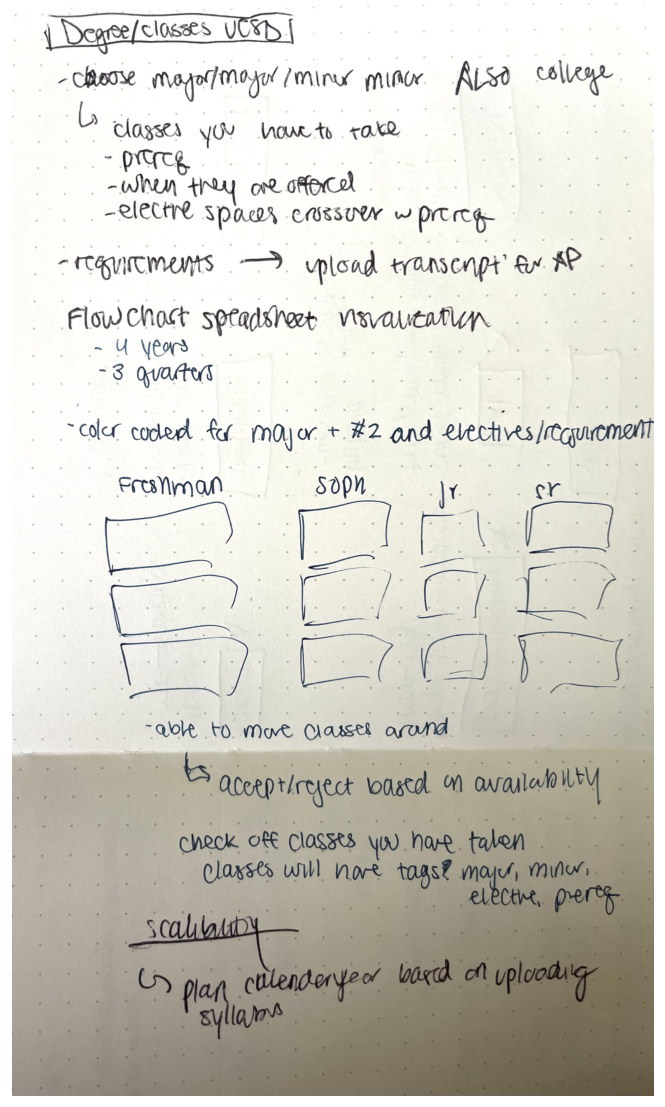
- Program setup: college, major, minor, Warren Programs of Concentration.
- Credit import: university transcript and AP/high school via OCR.
- Planning loop: drag from pool → valid-term highlights → sidebar mutes placed courses.
- Conflict states: prerequisite errors (hard lock) vs. quarter availability (warning).
How validation works
The differentiator is calendar-order simulation — not “do you have the prereq somewhere on the plan?” but “do you have it before this term?” That matches how registration actually works.
01
Simulate prerequisites in order
Design problem
Prerequisites are AND-of-ORs — (CSE 12 OR CSE 20) AND MATH 20C — but students can't tell if their plan satisfies that in order.
Solution
Each course stores grouped prereqs. The engine walks years and quarters chronologically, building a satisfied set from transcript credit plus scheduled courses before evaluating each placement.
02
Highlight valid quarters while dragging
Design problem
Students don't know which quarters are valid until after they drop a course.
Solution
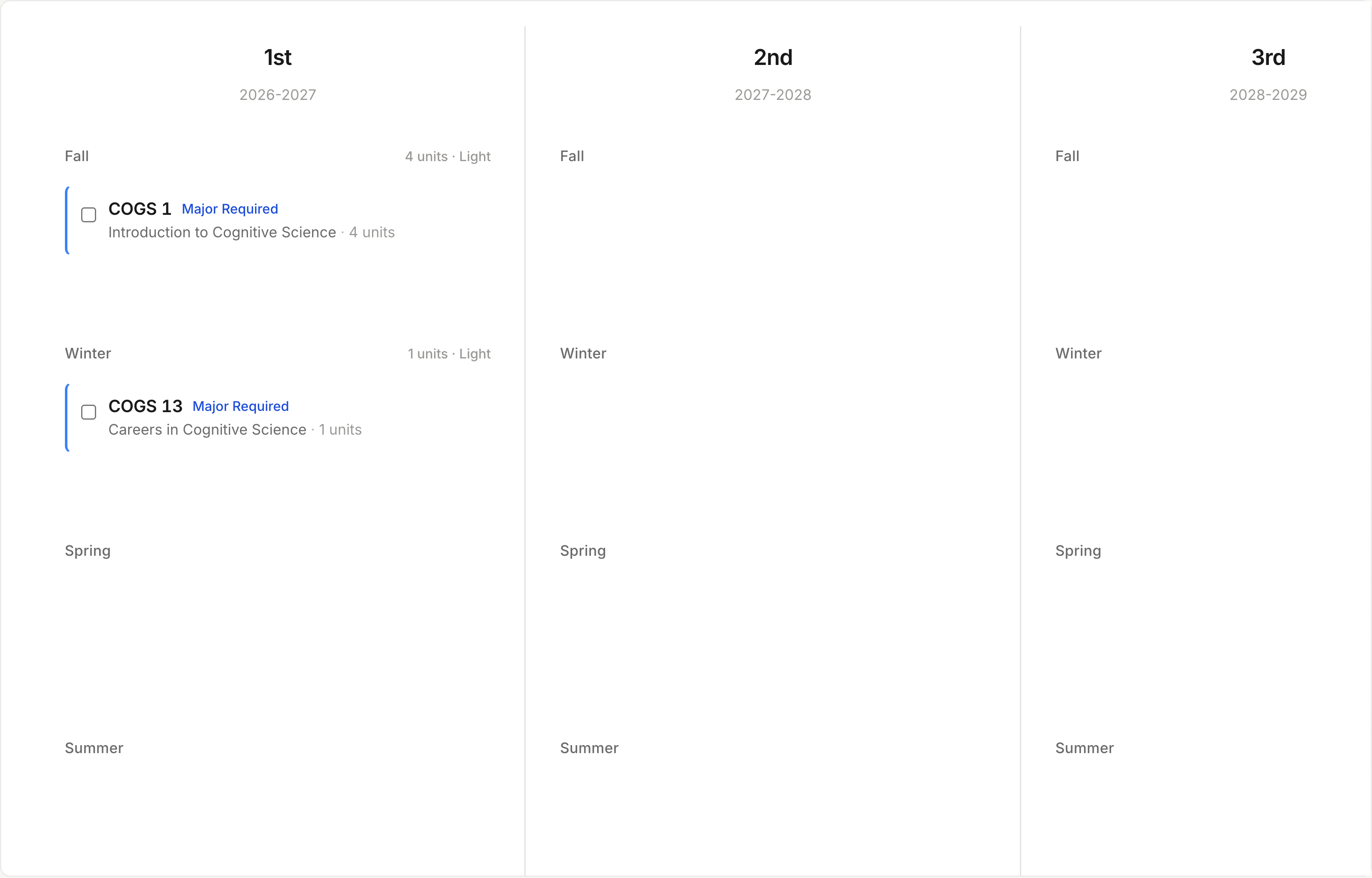
While dragging, valid terms highlight in neutral gray. The same simulation powers drop targets — if a quarter glows, prerequisites pass and the course is historically offered there.
03
Alerts & recovery
Design problem
Fixing a bad placement means hunting through four years manually.
Solution
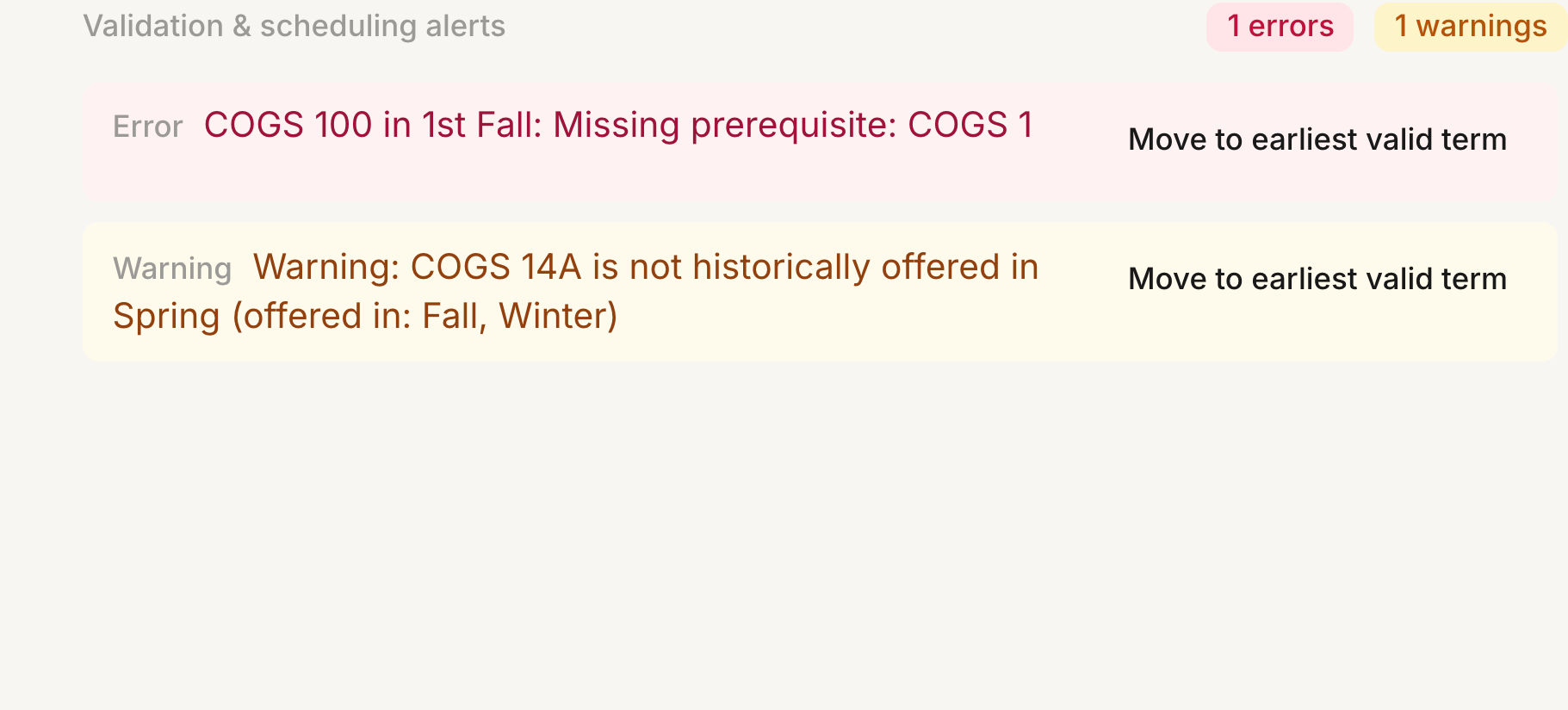
Alerts include Move to earliest valid term — scan forward from Frosh year to the first slot where rules pass.
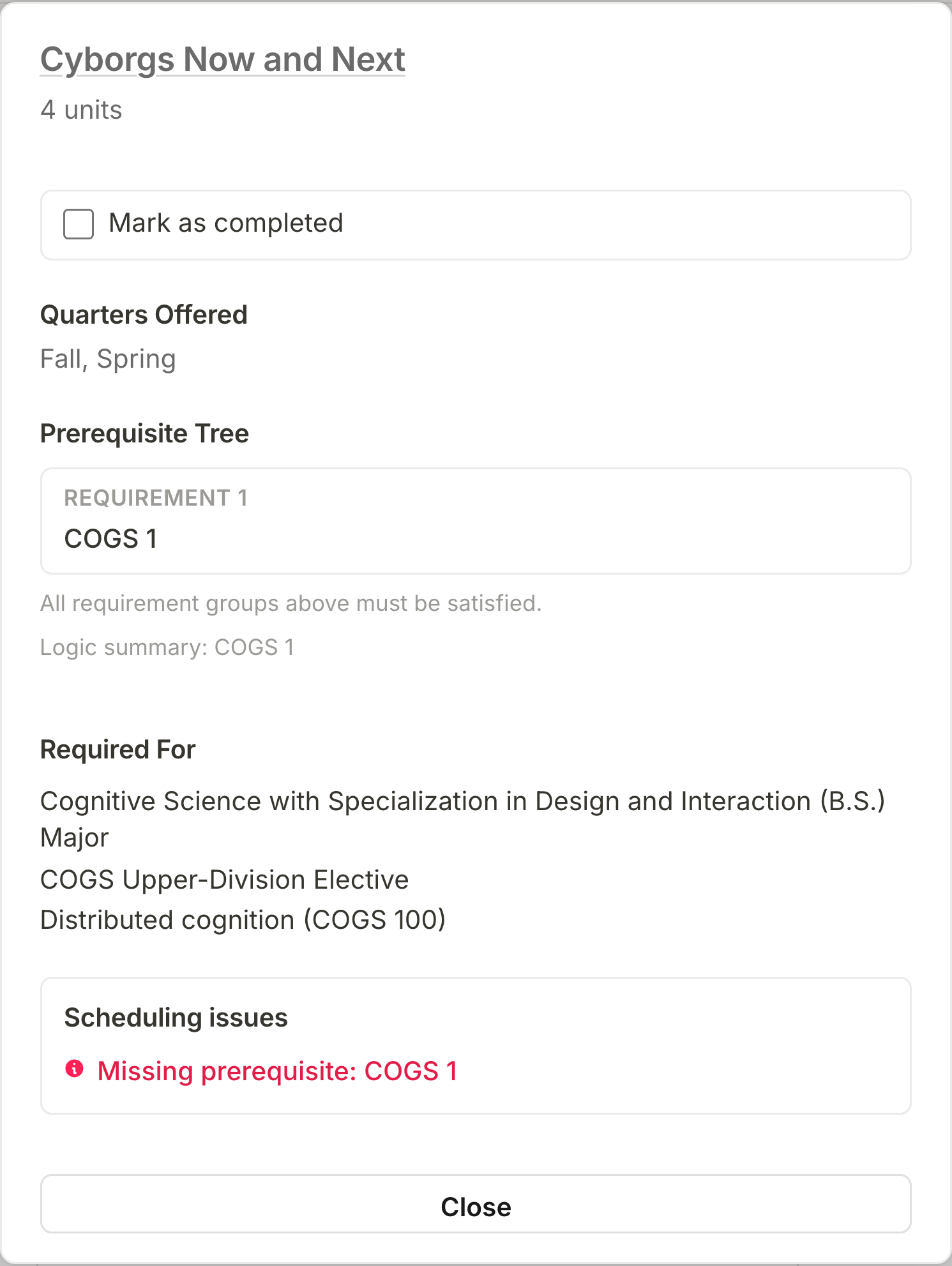
COGS 100 before COGS 1 surfaces in the metrics panel with a one-click Fix to the earliest valid term.
04
Inline on the timeline
Locked rows show the same message as the alert panel — students see the problem on the row itself, not only in a dropdown.

Features
Program setup
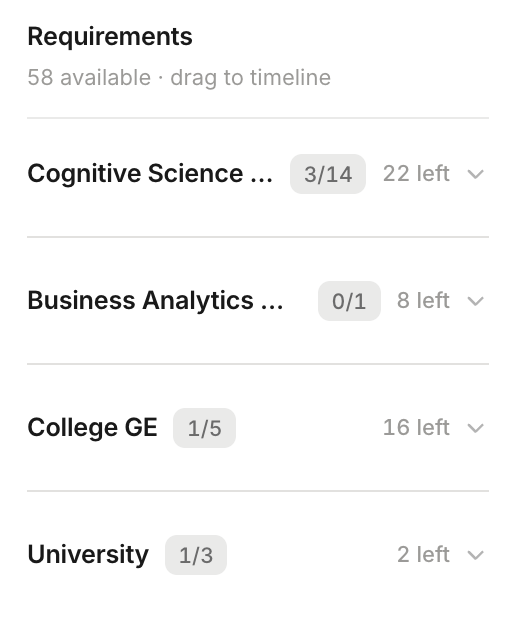
Select college, major, and minor, then Run to rebuild the sidebar from the UCSD catalog.

Requirements pool
All graduation requirements in one sidebar — major sequences, one-of groups, college GEs, and university requirements.
Drag & drop timeline
Drag courses onto quarters; valid terms highlight in gray while dragging and the sidebar mutes placed courses.
Course detail
Anchored detail card with prerequisite tree, quarters offered, unlock paths, and requirement mapping.
Multiple schedules
Tabbed what-if plans — duplicate, rename, delete, with silent auto-save and undo.

Interaction design
Course rows are the hero — shared between sidebar and timeline. The UI teaches catalog rules while you plan.
- 2px category stripe on rows — expands/highlights on hover.
- Neutral drag ghost and full-height gray drop zones.
- Silent auto-save with ⌘Z undo.
- Day and night themes via CSS tokens.
Tags
- Web
- UX
- Education
- Product